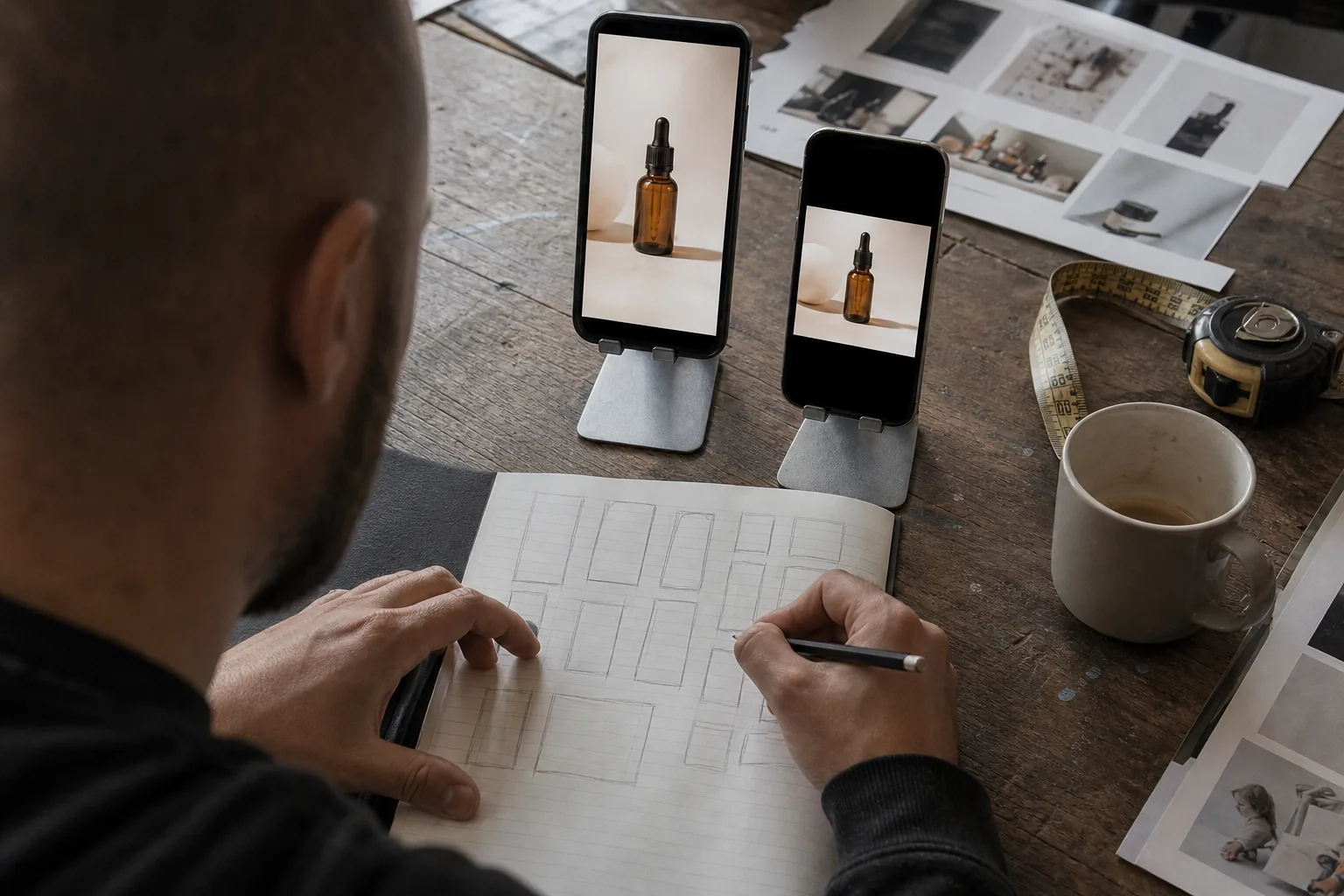
Aspect ratio first, pixels second
An aspect ratio describes the shape of a frame, width to height. A pixel dimension describes its size. Most placements accept a range of pixel sizes as long as the ratio is right, and they scale your file to the viewer's screen. That is why the first decision is always the ratio.
Five ratios cover nearly every paid placement on the major platforms:
| Ratio | Shape | Common pixel size | Where it is used |
|---|---|---|---|
| 9:16 | Full screen vertical | 1080 x 1920 | Reels, Stories, TikTok, YouTube Shorts, vertical video in Performance Max |
| 4:5 | Tall portrait | 1080 x 1350 | Facebook and Instagram Feed, Google portrait images |
| 1:1 | Square | 1080 x 1080 | Facebook and Instagram Feed, Google square images, carousels |
| 16:9 | Horizontal widescreen | 1920 x 1080 | YouTube in-stream, horizontal video in Performance Max |
| 1.91:1 | Wide landscape | 1200 x 628 | Google landscape images, Facebook link previews |
If you produce one concept in 9:16, 4:5, 1:1 and 16:9, plus 1.91:1 statics for Google, you can fill almost every placement without stretching or cropping anything. The rest of this guide breaks that down platform by platform.
Facebook ad sizes
Facebook placements split into feed placements, where your ad sits between posts, and full screen placements, where it takes over the phone.
| Placement | Recommended ratio | Common pixel size | Notes |
|---|---|---|---|
| Facebook Feed image | 1:1 or 4:5 | 1080 x 1080 or 1080 x 1350 | 4:5 takes more screen space on mobile |
| Facebook Feed video | 1:1 or 4:5 | 1080 x 1080 or 1080 x 1350 | Captions recommended, many people watch without sound |
| Facebook Reels | 9:16 | 1080 x 1920 | Keep text and logos away from top and bottom overlays |
| Facebook Stories | 9:16 | 1080 x 1920 | Full screen, tap to skip |
| Marketplace and right column | 1:1 | 1080 x 1080 | Small display, keep text minimal |
| Carousel cards | 1:1 | 1080 x 1080 | Every card uses the same ratio |
| Link preview image | 1.91:1 | 1200 x 628 | Shown when a link ad uses a landscape image |
Meta's own guidance has long favoured 4:5 for feed and 9:16 for Stories and Reels on mobile, since most of its traffic is on phones. If you upload a single file, Meta can crop it for other placements, but automatic crops often cut off text or the product. Uploading a dedicated file per ratio, using placement asset customisation in Ads Manager, gives you control over what each viewer sees.
Our facebook ad maker exports Feed, Reels and Stories versions of the same concept so you can assign each file to its placement.
Instagram ad sizes
Instagram ads run through Meta's ad system, so the ratios match Facebook. The visual context is different, though: Instagram users scroll a more image led feed, and Reels sits at the centre of the app.
| Placement | Recommended ratio | Common pixel size | Notes |
|---|---|---|---|
| Instagram Feed image | 4:5 or 1:1 | 1080 x 1350 or 1080 x 1080 | 4:5 fills more of the screen |
| Instagram Feed video | 4:5 or 1:1 | 1080 x 1350 or 1080 x 1080 | Feed previews may crop to the grid, keep the subject centred |
| Instagram Reels | 9:16 | 1080 x 1920 | Caption, buttons and profile name cover the lower area |
| Instagram Stories | 9:16 | 1080 x 1920 | Profile bar at top, call to action at bottom |
| Instagram Explore | 1:1 or 4:5 | 1080 x 1080 or 1080 x 1350 | Ads appear after a user opens a post from Explore |
One detail catches many advertisers: a Reels ad may also appear as a 4:5 crop in the feed grid preview. Keep the product and key text inside the central area of the 9:16 frame so the crop still reads. The instagram ad maker page covers how AdClip lays out the same ad for Feed, Reels and Stories.
TikTok ad sizes
TikTok is a vertical first platform. In-feed ads appear between organic videos in the For You feed, and they work best when they look like the content around them.
| Placement | Recommended ratio | Common pixel size | Notes |
|---|---|---|---|
| In-feed video | 9:16 | 1080 x 1920 | Strongly recommended, the native format |
| In-feed video, alternative | 1:1 or 16:9 | 1080 x 1080 or 1920 x 1080 | Accepted, but shows with bars and looks less native |
| Spark Ads | 9:16 | 1080 x 1920 | Boosts an existing organic post, follows the same specs |
| Image ads in supported placements | 9:16 or 1:1 | 1080 x 1920 or 1080 x 1080 | Availability depends on placement and region |
TikTok accepts a wide range of lengths, but short ads that make their point early tend to suit the feed. Sound is on by default for most viewers, so voiceover and music matter more here than on Facebook Feed. Still, captions help viewers who watch muted and make your message survive the first scroll.
If TikTok is your main channel, our tiktok ad generator page explains how AdClip writes TikTok style hooks and exports 9:16 files with captions placed inside the safe area.
YouTube Shorts and in-stream ad sizes
YouTube has two very different ad environments. Shorts is a vertical, swipeable feed similar to Reels and TikTok. In-stream ads play before, during or after regular videos, usually in a horizontal player.
| Placement | Recommended ratio | Common pixel size | Notes |
|---|---|---|---|
| YouTube Shorts ads | 9:16 | 1080 x 1920 | Vertical video, interface sits on the right and bottom |
| Skippable in-stream | 16:9 | 1920 x 1080 | Viewers can skip after five seconds, front load the message |
| Non skippable in-stream | 16:9 | 1920 x 1080 | Short fixed length, check current limits for your campaign type |
| Bumper ads | 16:9 | 1920 x 1080 | Very short non skippable format |
| In-feed video ads | 16:9 thumbnail | 1280 x 720 thumbnail | Appear in search results and the home feed |
| Companion banner | Wide banner | 300 x 60 | Shown next to in-stream ads on desktop in some campaigns |
YouTube video ads are uploaded to a YouTube channel first and then referenced by the campaign, so the file you upload is the master. Upload the highest quality version you have; YouTube creates lower resolution versions for slower connections.
For in-stream ads, the first five seconds are the whole ad for many viewers. Show the product and the reason to care before the skip button appears. For Shorts, think like TikTok: vertical, fast, captioned. Our youtube ad maker page shows how AdClip produces a 9:16 Shorts version and a 16:9 in-stream version of the same script.
Google Display ad sizes
Google Display campaigns mostly use responsive display ads. You upload images, logos, headlines and descriptions, and Google assembles them into ads that fit the available slot on each site and app. You can still upload fixed size banners for specific inventory.
Image assets for responsive display ads:
| Asset | Ratio | Recommended size | Typical minimum |
|---|---|---|---|
| Landscape image | 1.91:1 | 1200 x 628 | 600 x 314 |
| Square image | 1:1 | 1200 x 1200 | 300 x 300 |
| Portrait image | 4:5 | 960 x 1200 | 480 x 600 |
| Square logo | 1:1 | 1200 x 1200 | 128 x 128 |
| Landscape logo | 4:1 | 1200 x 300 | 512 x 128 |
Google generally limits the file size of each image, so export compressed JPG or PNG files and check the current limit in the Google Ads help centre. Text overlaid on images is allowed but should be light, because Google may crop images to fit a slot and adds your headlines separately.
Common fixed banner sizes, if you upload your own display ads:
| Size | Common name | Where it shows |
|---|---|---|
| 300 x 250 | Medium rectangle | Inside articles and sidebars, desktop and mobile |
| 336 x 280 | Large rectangle | Inside articles |
| 728 x 90 | Leaderboard | Top of desktop pages |
| 970 x 250 | Billboard | Top of desktop pages |
| 300 x 600 | Half page | Desktop sidebars |
| 160 x 600 | Wide skyscraper | Desktop sidebars |
| 320 x 50 | Mobile banner | Top or bottom of mobile pages |
| 320 x 100 | Large mobile banner | Mobile pages |
| 468 x 60 | Banner | Older desktop layouts |
Most advertisers get the widest reach with responsive display ads and add a few fixed banners only where they want pixel exact control. The ad banner creator page explains how AdClip produces 1.91:1, 1:1 and 4:5 image sets from your product photos with headline variants.
Performance Max asset sizes
Performance Max campaigns serve across Search, Display, YouTube, Discover, Gmail and Maps from one asset group. You supply images, logos, videos and text, and Google combines them per placement. Image specs follow responsive display ads, and video adds three orientations.
| Asset | Ratio | Recommended size | Notes |
|---|---|---|---|
| Landscape image | 1.91:1 | 1200 x 628 | Required in most asset groups |
| Square image | 1:1 | 1200 x 1200 | Required in most asset groups |
| Portrait image | 4:5 | 960 x 1200 | Optional, improves mobile coverage |
| Square logo | 1:1 | 1200 x 1200 | Required |
| Landscape logo | 4:1 | 1200 x 300 | Optional |
| Horizontal video | 16:9 | 1920 x 1080 | Hosted on YouTube, used for in-stream and feeds |
| Vertical video | 9:16 | 1080 x 1920 | Used for Shorts and vertical surfaces |
| Square video | 1:1 | 1080 x 1080 | Used for feeds |
If you do not upload a video, Google may create one automatically from your images and text. Advertisers who care about how their brand looks usually upload their own videos in all three orientations so the automatic version is never needed. Give each asset group several images per ratio, so the system has room to learn which combinations work.
Safe zones for vertical video
In full screen vertical placements, the app interface sits on top of your ad. Usernames, captions, like and share buttons, progress bars and call to action buttons cover parts of the frame. Anything important that lands under them is lost.
Each platform publishes its own overlay templates, and they change with app redesigns, so download the current template from the platform's ads help centre when you set up a new layout. As a working rule for a 1080 x 1920 frame:
| Platform | Top area to keep clear | Bottom area to keep clear | Side area to keep clear |
|---|---|---|---|
| Instagram and Facebook Reels | Around the top 14 percent of the height | Around the bottom 35 percent of the height | A narrow strip on the right for buttons |
| Instagram and Facebook Stories | Around the top 14 percent of the height | Around the bottom 20 percent of the height | Small margins on both sides |
| TikTok in-feed | Around the top 7 percent of the height | Around the bottom 25 to 30 percent of the height | A wider strip on the right for the action buttons |
| YouTube Shorts | Around the top 10 percent of the height | Around the bottom 30 percent of the height | A strip on the right for buttons |
These are approximate design margins used in production, not official platform guarantees. The safe area that works for all four is roughly the centre of the frame, slightly above the middle. Place headlines, prices, offers and the product itself there.
Practical habits for vertical safe zones:
- Put on-screen headlines in the upper middle third, below the top interface bar.
- Keep captions above the lower interface area rather than at the very bottom.
- Do not place the logo in a corner where the profile name or buttons will sit. A short end card with the logo centred works better.
- Leave the right edge free of text on TikTok, Reels and Shorts.
- Check every export against the overlay template before upload.
Safe zones in feed and display formats
Feed and display placements have fewer overlays, but they have their own traps.
- Feed previews may crop. A 4:5 or 9:16 video can appear cropped in some feed views. Keep the subject centred.
- Text on images competes with ad text. On Facebook and Instagram Feed, the primary text and headline appear around the image, so the image needs very little text of its own.
- Google crops responsive images. A 1.91:1 image may be shown in a slot that trims its sides. Keep the product in the middle and avoid text near the edges.
- Small banners shrink everything. In a 320 x 50 mobile banner, only a logo, a short line and a button fit. Write a separate, shorter line for small sizes.
- In-stream video has player controls at the bottom. Keep captions slightly above the lower edge of a 16:9 frame.
Video length and file format basics
Ratio and pixels are only half of a clean upload. File format, length and audio matter too.
- Format. MP4 with H.264 video and AAC audio is accepted almost everywhere. MOV is accepted on some platforms but MP4 is the safe default.
- Resolution. Export at 1080 pixels on the short side for vertical and square video, and 1920 x 1080 for horizontal. Upscaling small footage does not add detail, so start from the best source you have.
- Frame rate. Keep the frame rate of your source footage, commonly 24, 25 or 30 frames per second.
- Length. Short ads of around fifteen seconds suit Reels, Stories, TikTok and Shorts, while thirty to forty five seconds can work for product walkthroughs and in-stream. Every platform publishes minimum and maximum lengths per placement, check them for your campaign type.
- Captions. Burned in captions are visible everywhere. A separate SRT caption file is useful for YouTube and for accessibility.
- Images. JPG for photos, PNG for graphics with sharp edges or transparency. Compress files to stay within each platform's size limit.
Design once, export for every placement
The most efficient way to handle all these sizes is to design a concept, not a file. A concept is the hook, the scenes, the on-screen text, the offer and the end card. From one concept you produce a layout per ratio, adjusting composition rather than cropping a single master.
A workflow that keeps this manageable:
- Script and storyboard once, with scenes that work in a vertical frame, since vertical is the most demanding format.
- Build the 9:16 version first, respecting the safe zones.
- Adapt to 4:5 and 1:1 by repositioning text and reframing shots, not by squeezing.
- Build 16:9 separately for in-stream, where the viewer is often on a larger screen and sound is on.
- Produce Google statics from the strongest frames or product photos in 1.91:1, 1:1 and 4:5, with headline variants.
- Name every file with product, angle, ratio and variant, so each one goes to the right placement.
This is exactly the job AdClip does from a product link: it reads the page, writes hooks and scripts, then lays out each concept in 9:16, 4:5, 1:1, 16:9 and Google image sizes with captions inside the safe areas and your brand kit applied. Our creative testing tool page shows how those files are grouped into variant sets, and facebook ads creative testing explains how to run them in a weekly process.
A pre launch checklist
Before you upload a batch, run through this list:
- Each placement has a file in its recommended ratio.
- Pixel sizes meet or exceed the recommended dimensions.
- Key text, product and offer sit inside the safe zones of every vertical file.
- Captions are present and readable without sound.
- Logo and end card are placed where the interface does not cover them.
- File names state product, angle, ratio and variant.
- Files are MP4, JPG or PNG and within size limits.
- You have checked each platform's current specification page for changes since your last launch.
Related guides and tools
- Facebook ads creative testing, a weekly testing process for small teams.
- Product video ads by industry, with the structure behind each.
- Instagram ad maker for Feed, Reels and Stories layouts.
- TikTok ad generator for native 9:16 in-feed ads.
- YouTube ad maker for Shorts and in-stream versions of one script.
- Ad banner creator for Google Display and Performance Max images.